What you’ll need
Before you start
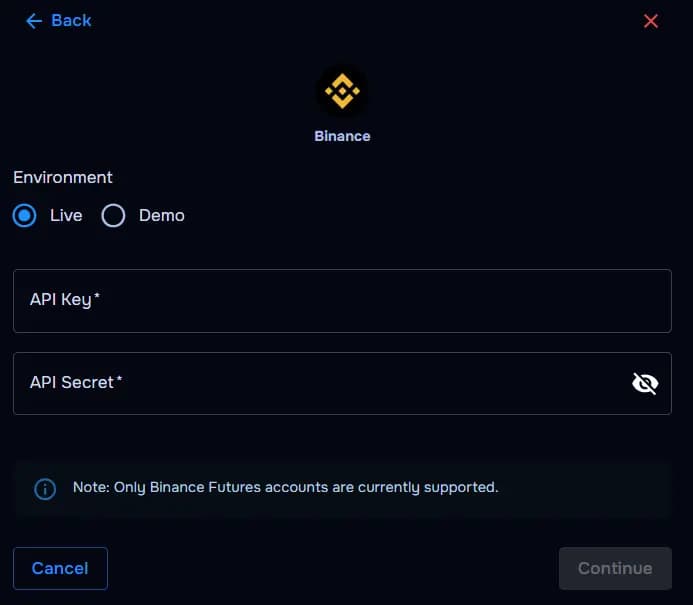
Note: Only Binance Futures accounts are currently supported.
API key
The public key generated inside your Binance account.
API secret
The secret key used to verify the connection securely.
Demo or live environment
Confirm whether you’re connecting paper/demo trading or live portfolio data — mismatched keys won’t sync.
API permissions
Correct read scopes enabled — without withdrawal access (enable futures reads if needed).
How the connection works
Overview
TraderWaves verifies your Binance API key pair with read-only scopes, then imports eligible fills into your journal for trade syncing and analytics.
Step-by-step setup
Walkthrough
- Open Binance API Management and create a dedicated key for TraderWaves.
- Select demo/paper vs production environment that matches the account you journal.
- Enable read scopes for balances and trade history; add futures reads if you trade futures.
- Copy API key and secret; disable withdrawals.
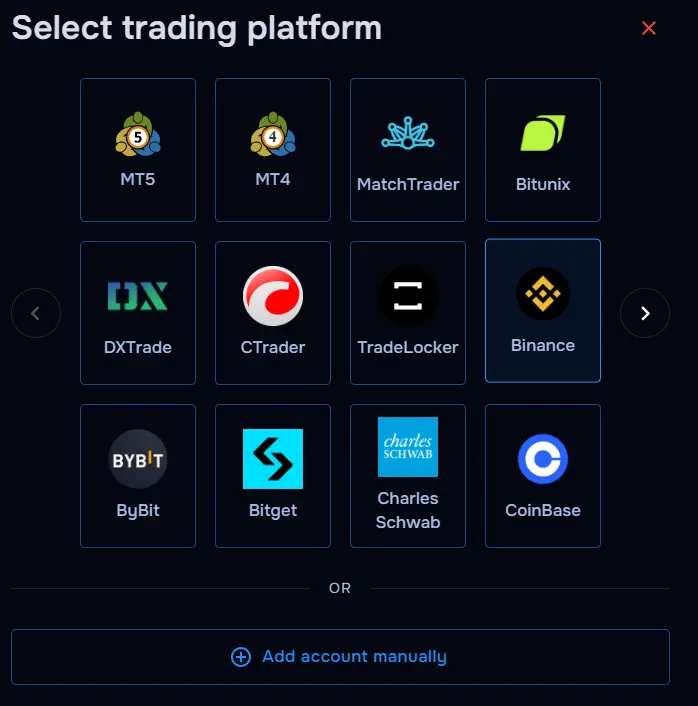
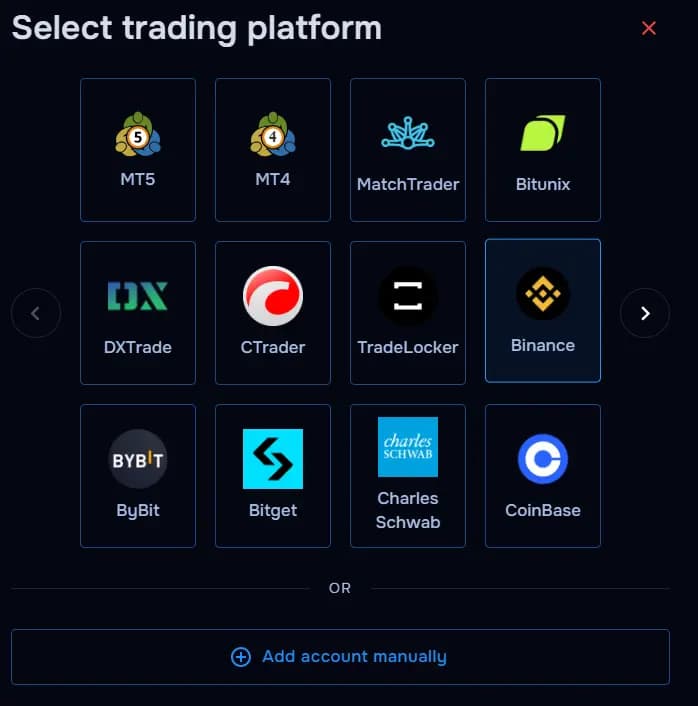
- In TraderWaves, add Binance and paste both strings exactly.
What happens after connecting
After sync
Fills flow into your journal; dashboards, charts, and alerts update as new Binance activity arrives.
Security and permissions
Trust & access
Keep keys read-only, never enable withdrawal, rotate after leaks, and audit IP restrictions if you lock keys to fixed addresses.
Prefer manual trade tracking?
TraderWaves also supports manual trade journaling when you want full control over how trades are logged.
Troubleshooting
Common issues
Invalid API key or secret
Likely cause: Whitespace or rotation invalidated the pasted credentials.
Suggested fix: Regenerate keys in Binance and reconnect in TraderWaves.
Missing futures permissions
Likely cause: The API key lacks futures read scope while your trades live there.
Suggested fix: Enable futures read access without withdrawals and retry.
IP restrictions blocking sync
Likely cause: Binance rejects TraderWaves egress IPs.
Suggested fix: Allowlist TraderWaves endpoints or adjust restrictions per your policy.
Demo vs live mismatch
Likely cause: Keys generated on the wrong Binance environment.
Suggested fix: Recreate keys on the matching demo/paper or live profile.
Trades not syncing yet
Likely cause: Initial import delay or filters excluding trades.
Suggested fix: Wait for sync; verify date filters and account scope in TraderWaves.
FAQs
Quick answers
Does TraderWaves need withdrawals?
No — read-only scopes are enough for journaling.
Can I journal Binance Futures?
Yes when futures reads are enabled on the API key.
Can I use manual journaling?
Yes — use the manual trade journal guide anytime.
What happens after I rotate keys?
Update TraderWaves immediately to prevent sync gaps.